By PDS Team
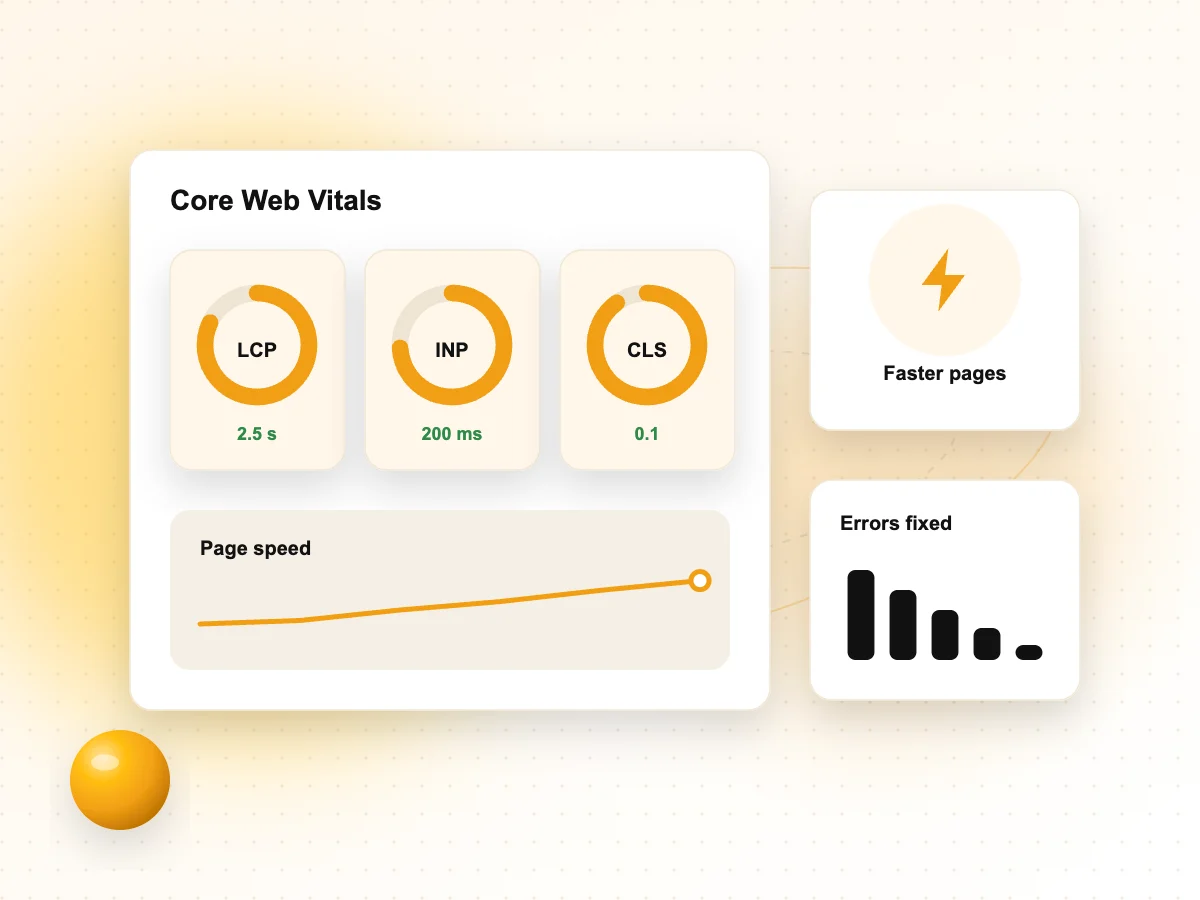
Improving Core Web Vitals on WordPress means getting three measures into the “good” range for real visitors: Largest Contentful Paint (LCP) of 2.5 seconds or less, Interaction to Next Paint (INP) of 200 milliseconds or less and Cumulative Layout Shift (CLS) of 0.1 or less. On most WordPress sites, the biggest wins come from the hero image, heavy plugins and scripts, fonts and hosting. WordPress core already handles some of this for you, so the job is to keep themes and plugins from undoing it.
This Core Web Vitals WordPress guide covers how to measure, what to fix for each metric and a checklist you can work through.
What are Core Web Vitals and what scores should you aim for?
Core Web Vitals are three measures of real user experience, loading, responsiveness and visual stability, and web.dev sets a clear “good” threshold for each.
| Metric | What it measures | Good |
|---|---|---|
| LCP (Largest Contentful Paint) | How quickly the main content loads | 2.5 seconds or less |
| INP (Interaction to Next Paint) | How quickly the page responds to clicks, taps and key presses | 200 milliseconds or less |
| CLS (Cumulative Layout Shift) | How much the layout jumps while loading | 0.1 or less |
web.dev says to measure the 75th percentile of page loads, segmented across mobile and desktop. In simple terms, at least three out of four visits should meet each target, and mobile and desktop are judged separately. If you would rather have specialists diagnose and fix this, our technical SEO services include Core Web Vitals audits for WordPress sites.
How do you measure Core Web Vitals on a WordPress site?
Use field data from real users to find problems, then lab tools to understand and test fixes.
Field data
web.dev lists PageSpeed Insights, the Chrome UX Report and the Search Console Core Web Vitals report as sources of field data for all three metrics. Search Console groups similar URLs, which helps you spot a problem with one template, such as every product page or every blog post.
Lab data
Lighthouse and Chrome DevTools let you test a page on demand. web.dev notes that Lighthouse cannot measure INP, because INP needs real interactions, so it uses Total Blocking Time as a proxy. A good Lighthouse score is helpful, but real-user data is what counts.
For a wider view of crawling, indexing and page experience checks, see our technical SEO checklist.
How do you improve LCP on WordPress?
Improve LCP by making the main image or heading load early: serve it from a fast server, keep it out of lazy loading and cut render-blocking CSS and JavaScript.
web.dev’s LCP guide breaks LCP into four parts: time to first byte, resource load delay, resource load duration and element render delay. Each part points to a different fix.
Let WordPress prioritise the hero image
The WordPress core team’s notes on WordPress 6.3 explain that WordPress automatically adds fetchpriority="high" to the image it judges most likely to be the LCP image. The same release fixed cases where loading="lazy" was added to images that should load straight away, and WordPress never gives one image both attributes. Some themes, page builders and plugins override this, so check the hero image in your page source.
Other LCP fixes
- Make the LCP image discoverable in the HTML. web.dev advises against loading it only through CSS backgrounds or JavaScript, such as some slider plugins do.
- Never lazy-load the LCP image. Turn off lazy loading for the first image in any optimisation plugin.
- Compress and size images properly so the browser downloads less.
- Reduce render-blocking CSS and JavaScript from unused plugins and theme features.
- Improve time to first byte with page caching, fewer redirects and good hosting.
How do you improve INP on WordPress?
Improve INP by reducing the JavaScript that runs on each page, so the browser can respond to clicks and taps without waiting.
web.dev’s INP guide recommends shortening long tasks on the main thread, breaking up long event handlers, keeping event callbacks light and reducing DOM size. On WordPress sites, the usual sources of heavy JavaScript are:
- Page builders that add large scripts and deeply nested HTML.
- Sliders, popups, chat widgets and animation libraries.
- Several tracking and marketing tags loading on every page.
- Plugins that load their scripts site-wide even when used on one page.
Start by listing every plugin and asking whether it is still needed. Remove what you do not use, and limit the rest to the pages that need them. Simpler layouts with fewer nested blocks also reduce the work the browser does after each interaction.
How do you fix CLS on WordPress?
Fix CLS by reserving space for anything that loads late, such as images, ads, embeds and fonts, so content does not jump.
web.dev’s CLS guide lists the main causes and fixes:
| Cause | Fix |
|---|---|
| Images and videos without size | Include width and height attributes, or set a CSS aspect-ratio |
| Ads, embeds and iframes | Reserve space with a minimum height or aspect-ratio |
| Banners or notices inserted at the top | Place them lower, overlay them, or show them after a user action |
| Web fonts swapping in | Preload key fonts and choose a close fallback font |
| Animations | Animate transform instead of properties such as top or left |
Cookie banners, announcement bars and late-loading header elements are common culprits on WordPress themes. Test pages on a mobile connection and watch for jumps as they load.
Which WordPress features, plugins and hosting choices help?
Recent WordPress versions include several performance features, and good hosting plus a light theme make the rest of the work much easier.
Speculative loading
The WordPress core team’s notes on WordPress 6.8 explain that speculative loading is turned on for the front end of sites by default, except for logged-in users and sites without pretty permalinks. By default it prefetches a page when a user starts to click a link, which can make the next page load faster. It uses the Speculation Rules API, which Chrome, Edge and Opera support, and other browsers simply ignore it. The separate Speculative Loading plugin uses more aggressive settings by default.
Performance Lab
The WordPress Performance Team builds the Performance Lab plugin, a collection of performance feature projects being tested for core. Test any feature plugin on a staging site first.
Hosting and maintenance
Slow servers raise time to first byte, which delays everything else. Page caching, an up-to-date PHP version and regular plugin updates all support good page speed optimisation. Our web hosting services include managed WordPress hosting and maintenance.
What does a Core Web Vitals checklist for WordPress look like?
Use this checklist after any redesign, theme change or new plugin.
| Area | Check |
|---|---|
| Measure | Search Console Core Web Vitals report reviewed for mobile and desktop |
| LCP | Hero image in the HTML, not lazy-loaded, compressed and correctly sized |
| LCP | Page caching on, time to first byte checked |
| INP | Unused plugins removed, scripts limited to the pages that need them |
| CLS | Images, embeds and ads have reserved space, fonts preloaded |
| Core | WordPress, theme and plugins up to date |
| Verify | Field data checked again after fixes have had time to collect |
Core Web Vitals WordPress FAQs
What is a good Core Web Vitals score for WordPress?
The targets are the same for every site. web.dev defines good as LCP of 2.5 seconds or less, INP of 200 milliseconds or less and CLS of 0.1 or less, measured at the 75th percentile of page loads for mobile and desktop separately. WordPress sites are judged on real-user data just like any other site.
Does a caching plugin fix Core Web Vitals?
It helps, but rarely fixes everything. Page caching can reduce server response time, which improves LCP. It does little for INP, which depends on JavaScript, or for CLS, which depends on layout. You still need to optimise images, remove heavy scripts and reserve space for late-loading content.
Why is my PageSpeed score different from Search Console?
They often measure different things. PageSpeed Insights shows a Lighthouse lab test for one page plus field data where available, while Search Console reports field data grouped across similar URLs. Lab results change with test conditions. For Core Web Vitals, focus on field data from real users.
Do page builders hurt Core Web Vitals?
They can, depending on how they are used. Some page builders add extra scripts, styles and nested HTML that slow loading and responses. Using fewer widgets, simpler layouts and the builder’s own performance settings helps. For very slow sites, a lighter theme or block-based build may be worth considering.
How long does it take for Core Web Vitals to update after fixes?
Lab tools show changes straight away, but field data takes longer because it is based on real visits collected over time. Improvements therefore appear gradually rather than overnight. Check Search Console again a few weeks after your fixes go live, and avoid making many unrelated changes at once so you can tell which fix helped.
Is INP the same as FID?
No. INP replaced First Input Delay as a Core Web Vital in March 2024. FID measured only the delay before the first interaction was handled, while INP looks at responsiveness across interactions during the whole visit. Remove FID targets from any old reports.
Need help with Core Web Vitals?
If your WordPress site is failing Core Web Vitals or feels slow, our technical SEO services can find the causes and fix them. We work with businesses in Noida, Delhi NCR and across India. Contact our team to request a speed audit.