By PDS Team
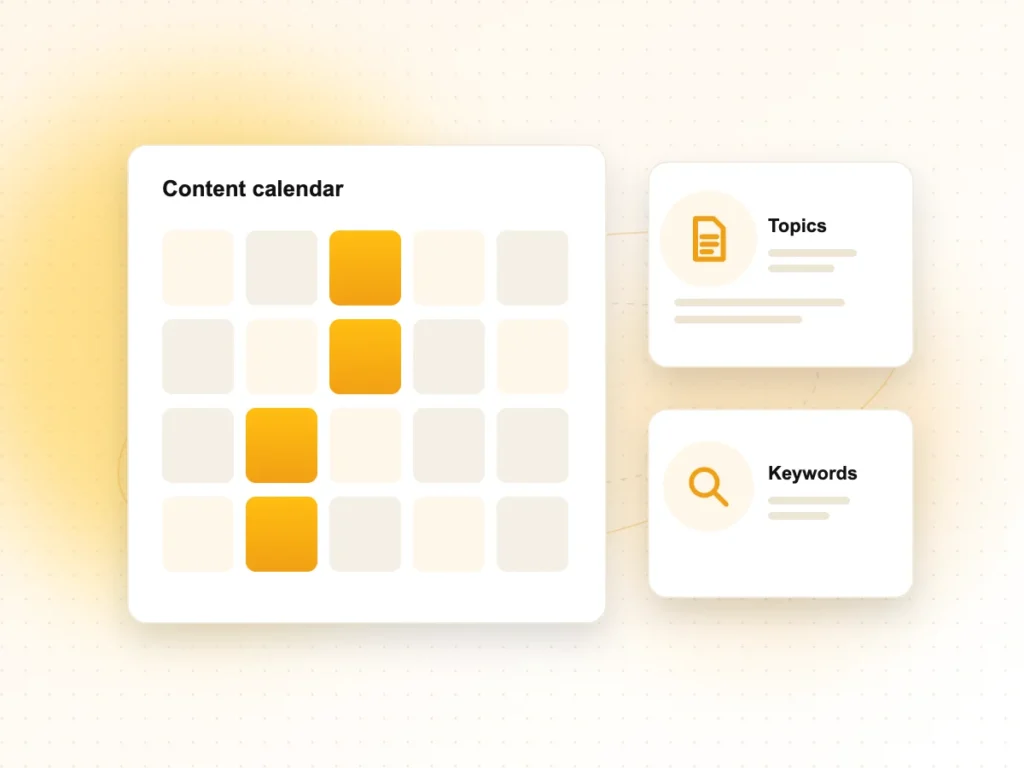
A social media content calendar is a simple plan that lists what you will post, on which platform, on which date and why. It turns social media from last-minute posting into a steady routine, so your business shows up consistently without the daily scramble for ideas.
This guide shows how to build a one-month calendar step by step, with content pillars, a posting rhythm you can keep, a sample template and the free scheduling tools most small businesses already have.
What is a social media content calendar?
It is a schedule, usually in a spreadsheet or planning tool, that shows every planned post with its date, platform, format, caption, visual and goal.
A good calendar answers five questions for every post: what are we posting, where, when, who is preparing it and what we want people to do after seeing it. It also leaves room for timely posts, such as festival greetings, new offers or quick replies to trends in your industry.
Why does a small business need a content calendar?
A calendar saves time, keeps your posting consistent and makes sure every post supports a business goal.
- Consistency: followers see you regularly instead of in bursts followed by silence.
- Less stress: you batch ideas, designs and captions once a month rather than every day.
- Better balance: you can see at a glance whether you are posting too many offers and too little useful content.
- Festival readiness: Holi, Eid, Independence Day, Diwali and your own sale dates are planned in advance.
- Teamwork: designers, writers and approvers know their deadlines.
How do you plan a month of social media posts?
Set your goal, choose your platforms and content pillars, decide a realistic posting rhythm, then fill the dates and prepare the content in one batch.
Step 1: Pick one main goal for the month
For example: more enquiries for a service, more visits to your shop, or more followers ahead of a launch. One clear goal makes it easier to choose posts and judge results.
Step 2: Choose your platforms
Go where your customers already are. Many local businesses in India focus on Instagram, Facebook and WhatsApp; B2B companies usually add LinkedIn; businesses with demonstration-friendly products add YouTube. It is better to do two platforms well than five poorly.
Step 3: Define three to five content pillars
Content pillars are the recurring themes you post about. For example, a clinic or salon might use these:
- Educate: tips, how-tos and answers to common questions.
- Show: behind the scenes, your team, your work, your space.
- Prove: genuine customer feedback (with permission) and finished projects.
- Offer: services, packages and limited-time offers.
- Connect: festivals, local events and community moments.
Step 4: Set a posting rhythm you can keep
There is no single correct frequency. Start with a number your team can sustain, such as three posts a week plus Stories on most days, and increase it only if quality stays high.
Step 5: Fill the calendar and batch-produce
Add fixed dates first (festivals, launches, sale days), then spread your pillars across the remaining slots. Write all captions in one sitting and design all visuals in another.
What does a sample monthly calendar look like?
Here is one week of a simple calendar for a local business posting three times a week on Instagram and Facebook.
| Day | Pillar | Format | Idea | Call to action |
|---|---|---|---|---|
| Monday | Educate | Carousel | “5 questions to ask before booking a service” | Save this post |
| Wednesday | Show | Reel | A 30-second look at how a job is done | Follow for more |
| Friday | Offer | Single image | This month’s service package | Message us on WhatsApp |
| Daily | Connect | Stories | Polls, quick tips, team moments | Reply or vote |
Repeat the pattern for four weeks, changing the topics, and you have a full month. Keep a column for results so you can see which posts brought messages or calls.
Which tools can you use to schedule posts?
Most businesses can start with a spreadsheet for planning and the free scheduling tools built into each platform.
- Google Sheets or Excel: plan dates, captions, links to visuals and approval status.
- Meta Business Suite: plan and schedule Facebook and Instagram posts and Stories from one place, with a calendar view in its Planner.
- Instagram app: professional accounts can schedule posts and Reels directly in the app.
- LinkedIn: lets you schedule posts on personal profiles and company pages.
- YouTube Studio: lets you upload videos and set a publish date and time.
Paid tools that manage many platforms together become useful as your posting grows, but they are not needed to start.
How do you measure whether your calendar is working?
Review results at the end of each month against your goal, then keep what worked and drop what did not.
- Use Meta Business Suite insights, Instagram insights and LinkedIn page analytics to see reach, saves, shares and profile visits.
- Track actions that matter: messages, calls, website clicks and enquiries.
- Compare pillars, not just posts. If “Educate” posts bring more saves and messages, plan more of them.
- Note the formats that perform best for your audience, such as short videos or carousels.
If you want a team to plan, design and run your calendar, our SMO services cover strategy, content and monthly reporting. Our graphic designing services can create on-brand templates, and our content marketing services can turn your blog and website content into social posts.
Social Media Content Calendar FAQs
How far in advance should I plan social media posts?
Most small businesses plan one month ahead, with festivals and big launches marked two to three months in advance. Monthly planning gives you time to prepare visuals while staying flexible. Leave a few open slots each week for timely posts, replies to trends or last-minute news.
How often should a business post on social media?
There is no single right number. Choose a frequency you can maintain with good quality, such as three feed posts a week and regular Stories, then adjust based on results. Posting consistently matters more than posting daily, and a few useful posts beat many rushed ones.
What should I post on social media if I run out of ideas?
Use the questions customers ask you, explain how you do your work, share before-and-after results (with permission), introduce your team, mark local and national festivals, and repurpose your blog posts into carousels or short videos. Content pillars help you rotate ideas so you rarely start from nothing.
Can I use the same post on Instagram, Facebook and LinkedIn?
You can reuse the core idea, but adapt the format and tone for each platform. Instagram favours visuals and short videos, Facebook works well for community updates and offers, and LinkedIn suits professional insights and company news. Adjust captions, hashtags and image sizes rather than copying them exactly.
Is Meta Business Suite free?
Yes. Meta Business Suite is a free tool from Meta for managing Facebook Pages and connected Instagram professional accounts. You can schedule posts and Stories, reply to messages and see insights in one place. Paid advertising is a separate cost you control.
Should festival posts be part of the calendar?
Yes. Festival and event posts are easy to plan ahead and help your brand feel connected to your audience. Mark important dates for your customers at the start of the year, prepare designs early and link them to relevant offers or messages where it makes sense.
Want help planning your social media?
Our team builds and manages content calendars for businesses in Noida, Delhi NCR and across India. Explore our SMO services or contact us to plan your next month of posts.