By PDS Team
A good landing page does one job: it matches what the visitor clicked on and makes the next step easy. This landing page design checklist covers the parts that matter most for enquiries, including message match, a clear offer, trust signals, a short form, mobile layout and speed. It draws on Google’s own landing page advice for advertisers and its page experience guidance for Search.
Use it before you launch a page for an ad campaign, and again whenever enquiries drop.
What makes a landing page different from a normal web page?
A landing page is built around a single goal, such as a call or an enquiry, while a normal page usually has several jobs and lots of navigation.
Your homepage has to introduce your whole business. A landing page for “AC repair in Noida” only has to convince someone who searched for AC repair that you can help, then get them to call or fill a form. Fewer choices on the page usually make the next step clearer.
This does not mean landing pages should be thin. Google Ads Help says advertisers should provide useful, original information about whatever they are advertising. If you want a page planned and built around your campaign goals, our website design services team designs landing pages for lead generation.
Does your page match the ad or post that brought people there?
The headline and first screen should repeat the promise of the ad, using the same service, location and offer, so visitors know they are in the right place.
Google Ads Help, in its guidance on optimising ads and landing pages, says to make sure your landing page matches your ad and keywords. Landing page experience is one of three parts of Quality Score, alongside expected click-through rate and ad relevance. Google describes it as how relevant and useful your landing page is to people who click your ad.
How to check message match
- Read your ad, then open the page on your phone. Does the first screen say the same thing in plain words?
- If the ad mentions a city, price range, offer or service, the page should mention it too.
- Run separate pages for very different services rather than sending every ad to one page.
Google Ads also shows a landing page experience status of “Above average”, “Average” or “Below average” for each keyword. Google states that Quality Score is not an input in the ad auction, so use it as a pointer to what needs work. Our guide to Google Ads for small business explains how campaigns and landing pages fit together.
Is the offer clear in the first screen?
Within a few seconds a visitor should know what you offer, who it is for and what to do next, without scrolling.
Google Ads Help advises being clear about your product or service and what it does. For a service business, the first screen usually needs:
- A headline that names the service and, if relevant, the location.
- One or two lines on what the customer gets or what problem you solve.
- A single primary call to action, such as “Get a free quote” or “Call now”.
- A visible phone number or click-to-call button on mobile.
Avoid vague headlines like “Welcome to our company” or “Quality you can trust”. Say what you do.
Landing page design checklist: the full list
Work through these checks before launch; each one comes from Google’s guidance or from basic usability.
| Area | Check | Done? |
|---|---|---|
| Relevance | Headline matches the ad, keyword or social post | ☐ |
| Offer | Service, location and next step are clear on the first screen | ☐ |
| Content | Useful, original details: what is included, process, service area | ☐ |
| Trust | Real business name, address, phone and genuine reviews | ☐ |
| Call to action | One main action, repeated after key sections | ☐ |
| Form | Only the fields you need, with labels and autofill | ☐ |
| Mobile | Readable text, tappable buttons, no sideways scrolling | ☐ |
| Speed | Loads quickly on mobile data; images compressed | ☐ |
| Interruptions | No pop-up that blocks the content on arrival | ☐ |
| Tracking | Form submissions and calls recorded as conversions | ☐ |
How do you build trust on a landing page?
Show that a real, reachable business is behind the page, with clear contact details, honest claims and genuine reviews.
Google Ads Help suggests adding reviews that show real opinions from other customers. Use reviews you actually received, ideally with permission, and never write your own. Other trust signals that help:
- Your registered business name, office address and a working phone number.
- Photos of your actual team, office or work, not just stock images.
- A short explanation of how the service works, from enquiry to delivery.
- Clear terms for any offer, such as what “free inspection” includes.
- A link to your privacy policy near the form.
Avoid claims you cannot back up, such as “number one in Delhi” or guaranteed results. They can put visitors off and may break advertising policies.
How should you design the enquiry form?
Ask only for what you need to follow up, label every field clearly and let the browser fill in details automatically.
Every extra field is one more reason to leave. For most service enquiries, name, phone number and a short message are enough. You can collect the rest on the call.
Form details that help
- Pair each field with a visible label. web.dev’s guide to autofill says to connect each input to a
<label>and to use theautocompleteattribute, such asautocomplete="email", so browsers can suggest saved details. - Use a single input for phone numbers rather than splitting them into boxes, as web.dev recommends.
- Show a clear thank-you message after submission, and say when you will reply.
- Test the form yourself on mobile and check the enquiry actually arrives.
If most of your leads come from social ads, compare this with instant forms on Meta. Our guide to Meta ads lead generation covers when a website landing page works better.
Is the page fast and easy to use on mobile?
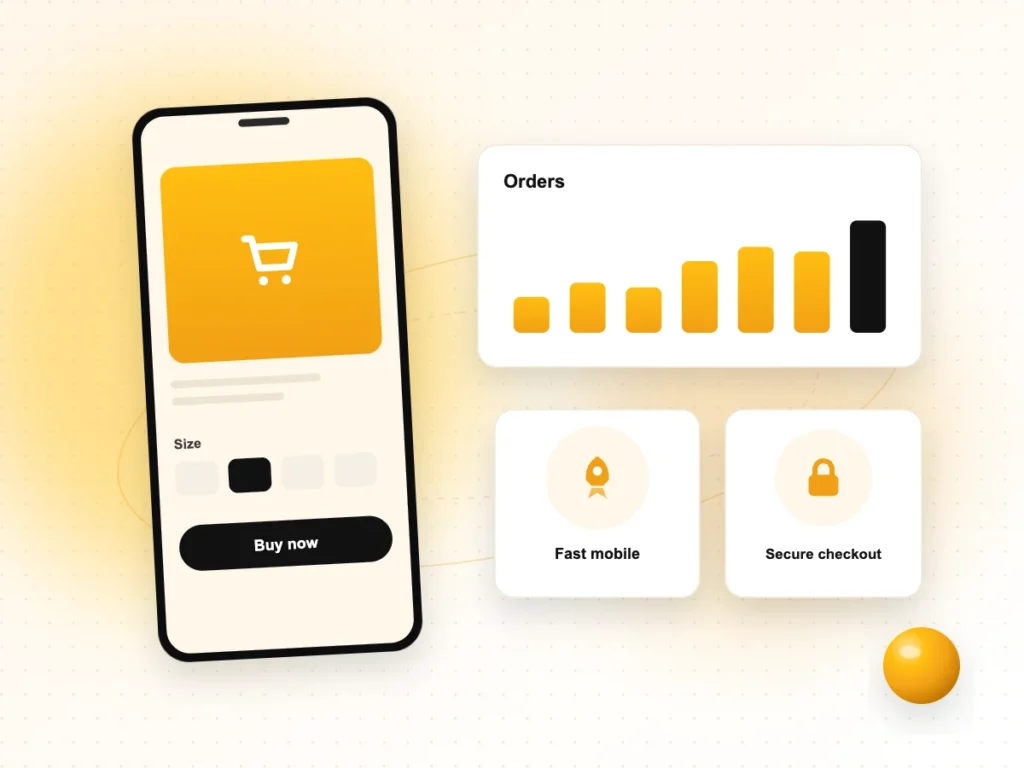
Many visitors will arrive on a phone, so design for a small screen first and keep the page light enough to load quickly on mobile data.
Google Ads Help says to make sure your website is mobile-friendly and easy to navigate, and to keep it quick. Google Search’s page experience guidance asks similar questions: whether pages have good Core Web Vitals, are served securely over HTTPS, display well on mobile, avoid intrusive interstitials and make the main content easy to tell apart from other content.
- Use one column on mobile, with large buttons spaced apart.
- Compress images and avoid heavy sliders or autoplay videos above the fold.
- Keep pop-ups out of the way, especially when the visitor first arrives.
- Remove tracking scripts and plugins you no longer use.
Landing page design FAQs
How long should a landing page be?
Long enough to answer the questions a visitor has before contacting you, and no longer. A simple, low-cost service may need only a short page. A complex or expensive service usually needs more detail on process, scope and trust. Put the main offer and call to action at the top, so people who are ready do not need to scroll.
Should a landing page have a navigation menu?
Often it works better with a minimal header, such as your logo and phone number, so visitors focus on one action. But Google Ads Help says landing pages should be easy to navigate, so keep links to important information like your privacy policy and contact details. Test both versions if you have enough traffic.
What is landing page experience in Google Ads?
It is one of three components of Quality Score, with expected click-through rate and ad relevance. Google describes it as how relevant and useful your page is to people who click your ad, and rates it as above average, average or below average. Improving relevance, original content, mobile usability and speed are Google’s main suggestions.
How many form fields should a landing page have?
As few as you need to follow up well. For most service enquiries, name, phone number and an optional message are enough. Add fields only if they help you respond better, such as the service needed or location. Use clear labels and autofill so the form is quick to complete on a phone.
Can I use one landing page for Google Ads and Meta ads?
You can, as long as the message matches both ads. Many businesses create separate versions because search visitors are already looking for a service, while social visitors may need more explanation. Track each source separately so you can see which page and channel bring the better enquiries.
Need a landing page that brings in enquiries?
If your ads are getting clicks but not enough calls or forms, our website design services can plan, design and test landing pages around your campaigns. We work with businesses in Noida, Delhi NCR and across India. Contact our team to discuss your next campaign.