By PDS Team
A proper WooCommerce setup for an Indian business means more than installing a plugin: you need reliable hosting, the right store settings for INR and GST, an Indian payment gateway with UPI, shipping that matches how you deliver, and the legal pages Indian e-commerce rules expect. This checklist takes you through each step in the order we follow when launching a store.
WooCommerce is a free, open-source e-commerce plugin for WordPress. You keep control of your store and data, and you can extend it with plugins as you grow.
What do you need before installing WooCommerce?
You need a domain, good WordPress hosting with SSL, a WordPress installation and clear decisions about what you sell and how you deliver.
- Domain: ideally your brand name, on .com or .in.
- Hosting: a plan suited to WooCommerce, with enough resources for your catalogue and traffic, daily backups and server-side caching that excludes cart and checkout pages.
- SSL certificate: HTTPS on every page, essential for checkout and customer trust.
- Business details: registered name, address, GSTIN (if registered), bank account for payment settlements.
- Product data: product names, descriptions, prices, SKUs, weights, dimensions and good photos.
Our web hosting services include WordPress-ready hosting and maintenance for WooCommerce stores.
Which WooCommerce settings should Indian stores configure first?
Set your store address, currency, selling and shipping locations, tax options and account settings before adding products.
| Setting | Where | Recommended for India |
|---|---|---|
| Store address | WooCommerce → Settings → General | Your registered business address |
| Selling locations | General | India only, unless you ship abroad |
| Currency | General | Indian rupee (₹), with comma thousand separator |
| Taxes | General → Enable tax rates | Enable if you charge GST and need it on invoices |
| Guest checkout | Accounts & Privacy | Allow, so first-time buyers are not forced to register |
| Emails | Emails | Your brand name and a monitored sender address |
How do you set up GST in WooCommerce?
Turn on tax rates, decide whether prices include tax, and add GST rates that match your products, ideally with advice from your accountant.
WooCommerce lets you create tax classes and rates, so you can set different rates for products in different GST slabs. Decide whether your displayed prices include GST, as most Indian consumer stores do. For intra-state and inter-state sales (CGST + SGST or IGST) and GST-compliant invoices with your GSTIN and HSN codes, many stores use a dedicated GST or invoicing plugin. Tax rules depend on your products and registration, so confirm the set-up with your chartered accountant.
Which payment gateways work with WooCommerce in India?
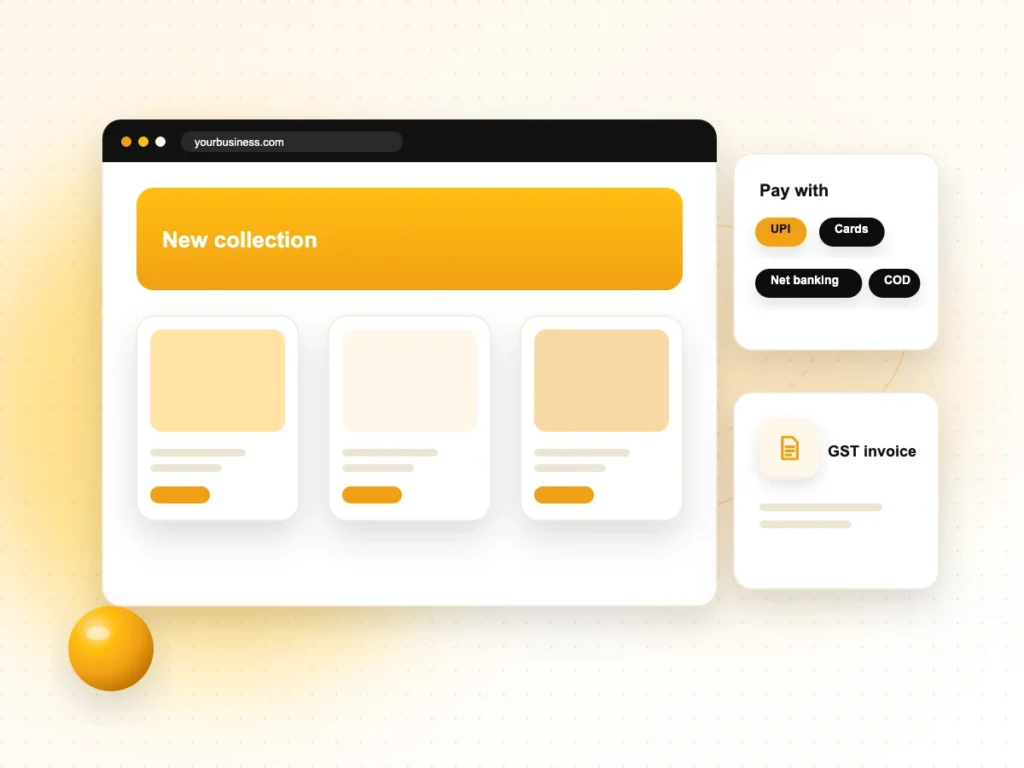
Popular Indian gateways such as Razorpay, PayU, Cashfree and PhonePe offer WooCommerce plugins that accept UPI, cards, net banking and wallets.
- Choose a gateway that supports UPI, since many Indian customers prefer it.
- Complete the gateway’s KYC (business documents, bank details and website review) before launch, as approval can take time.
- Check that your website shows the policies gateways usually require: contact details, terms, privacy, refunds and shipping.
- Test the full payment flow in test mode, then make a small live payment before opening to customers.
- Enable Cash on Delivery (built into WooCommerce) if your courier supports it and your margins allow for returns.
Compare each gateway’s charges, settlement times and supported payment methods on their official sites before choosing.
How should you set up shipping?
Create shipping zones and methods that match your real delivery options, then connect a courier or shipping aggregator if you ship nationally.
- Shipping zones: for example, your city, your state and the rest of India.
- Methods: flat rate, free shipping above an order value, or local pickup for nearby customers.
- Product weights and sizes: add them to every product so rates and courier bookings are accurate.
- Courier integration: many Indian logistics aggregators and couriers provide WooCommerce plugins for label printing, tracking and COD.
- Delivery messages: show expected delivery times honestly on product and checkout pages.
What legal and trust pages does an Indian online store need?
You need clear seller information, terms, privacy, return, refund, cancellation and shipping policies, and a way to raise complaints.
The Consumer Protection (E-Commerce) Rules, 2020 set duties for e-commerce entities and sellers in India, including displaying seller details, providing information on returns, refunds, exchanges, warranties and delivery, and having a grievance redressal mechanism. Pages to publish:
- About us and contact details (legal name, address, phone, email)
- Terms and conditions
- Privacy policy
- Return, refund and cancellation policy
- Shipping and delivery policy
- Grievance officer or complaint contact details
Have a legal adviser review your policies; this checklist is not legal advice.
How do you prepare your WooCommerce store for launch?
Test every step a customer takes, set up tracking and basic SEO, and make sure backups and updates are in place.
- Place test orders with each payment method, including a refund.
- Check order emails reach both you and the customer.
- Test the store on phones, since most Indian shoppers buy on mobile.
- Set up analytics with ecommerce events, so you can see product views, carts and purchases.
- Write unique product titles and descriptions, add product structured data (many SEO plugins do this) and submit your sitemap in Search Console.
- Turn on automatic backups and plan regular WordPress, theme and plugin updates.
- Keep the number of plugins small; each one adds maintenance and can slow the site.
Once your store is live, our ecommerce SEO services can help your products and categories rank in Google.
WooCommerce Setup FAQs
Is WooCommerce free?
The WooCommerce plugin itself is free and open source. You still pay for a domain, hosting and SSL (often included with hosting), and possibly for premium themes or extensions. Payment gateways charge transaction fees. Costs depend on the plugins and services you choose, so plan them before launch.
Can WooCommerce accept UPI payments?
Yes. Indian payment gateways that offer WooCommerce plugins, such as Razorpay, PayU, Cashfree and PhonePe, support UPI along with cards and net banking. You install the gateway’s plugin, enter the API keys from your gateway account, and UPI appears as a payment option at checkout.
Is WooCommerce better than Shopify for Indian businesses?
It depends on your needs. WooCommerce gives you full control, flexible customisation and no platform subscription, but you manage hosting, updates and security. Shopify is hosted and simpler to run, with a monthly plan and app costs. Choose based on your budget, technical support and how much customisation you need.
How do I add Cash on Delivery in WooCommerce?
Cash on Delivery is a built-in payment method. Go to WooCommerce → Settings → Payments, enable Cash on Delivery and set any instructions or the shipping methods it applies to. Make sure your courier supports COD collection in the areas you ship to before enabling it.
Does WooCommerce support GST invoices?
WooCommerce has built-in tax rates you can set up for GST, but GST-compliant invoices with GSTIN, HSN codes and the CGST, SGST or IGST split usually need an invoicing or GST plugin. Confirm your exact requirements with your accountant before choosing one.
How many products can a WooCommerce store handle?
WooCommerce can run stores with large catalogues, but performance depends on hosting, theme, plugins and caching. A small catalogue runs well on good shared hosting; thousands of products or heavy traffic need stronger hosting, careful plugin choice and database optimisation.
Want help launching your WooCommerce store?
We build and maintain WooCommerce stores for businesses in Noida, Delhi NCR and across India. See our WooCommerce development services or contact our team to plan your store.